


Onelink becomes your new home page on Microsoft Edge: our advice for restoring your sessions
From Tuesday March 19th 2024, the Econocom Group has decided to make ONELINK the default home page when users log on to Microsoft Edge.
By installing ONELINK on the home page, the Group is offering employees quick and intuitive access to essential tools and information. The move is part of a drive to make it easier to navigate the company’s internal resources.
In addition, for those who wish to restore their old sessions on Microsoft Edge, two simple methods are available:
- Keyboard shortcut: Use the SHIFT+CTRL+T key combination to reopen previously closed tabs.
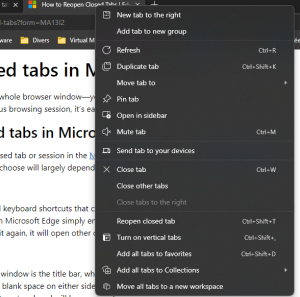
- Context menu: Right-click on a tab or title bar and select the « Reopen closed tabs » option to restore recently closed tabs.
OR
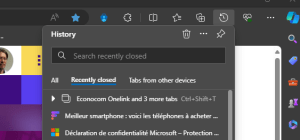
- History menu: Go to the « Recently closed » section in the history menu and select the group of tabs or the page you wish to restore.
If you have any questions, please contact the service desk servicedesk@econocom.com